> For the complete documentation index, see [llms.txt](https://docs.nara.stream/llms.txt). Markdown versions of documentation pages are available by appending `.md` to page URLs; this page is available as [Markdown](https://docs.nara.stream/configuration/single-sign-on.md).
# Single Sign-On
Nara supports Single Sign-on (SSO) for users to simplify the process of providing secure access to users.
This section covers the different options supported to integrate Nara with an Identity Provider (IdP) to authenticate user logins.
## Nginx with Oauth2-proxy
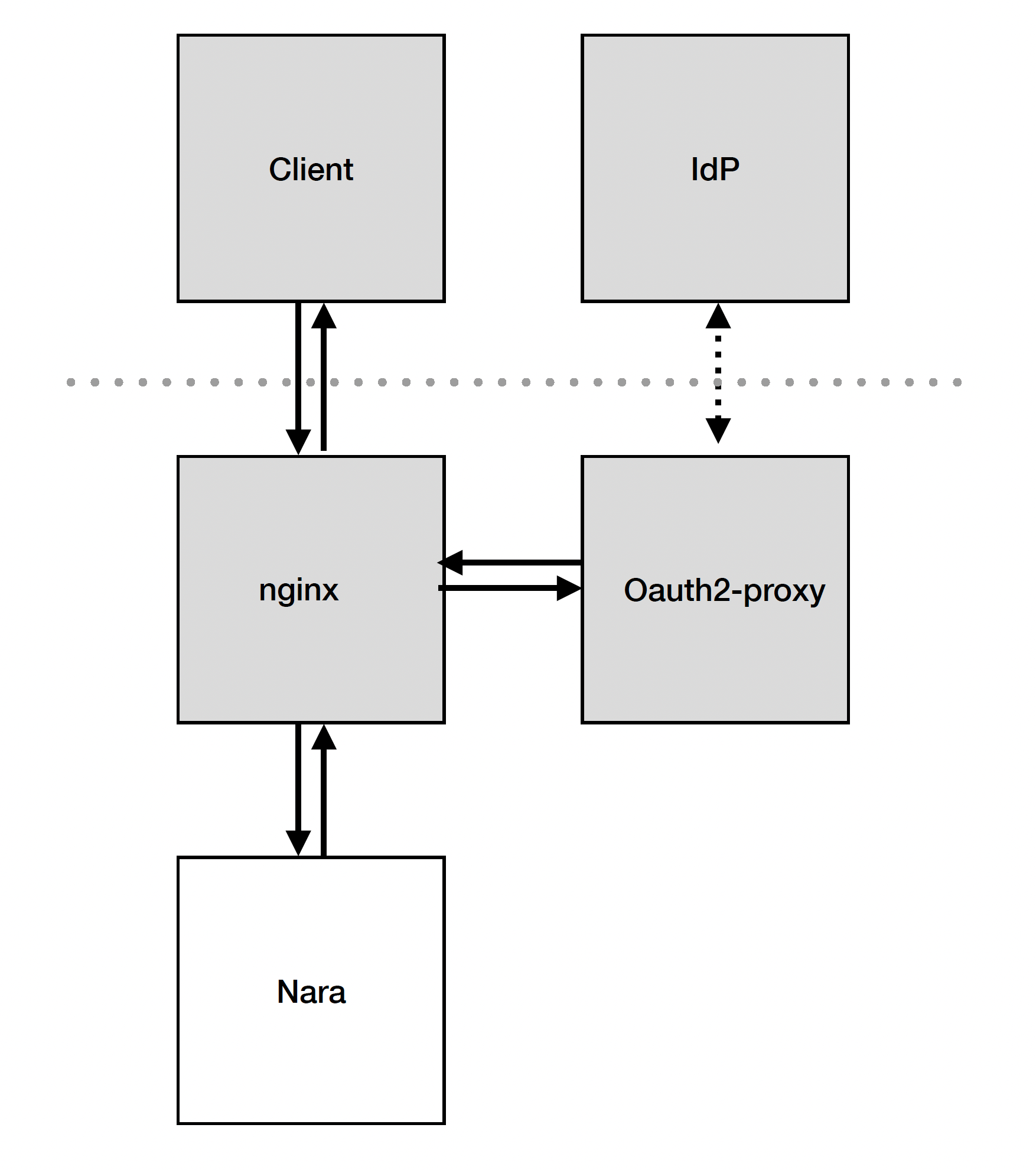
In order to integrate Nara with an IdP we have taken the approach of using nginx () as a reverse proxy with authentication handled by oauth2-proxy ().
The Nara application itself consists of a node.js application which accepts connections on port 443 and starts processes for authenticated users on demand. These processes communicate with the node.js application over a variety of ports using the web sockets protocol which are ultimately fed through the port 443 connection to the client.
The following diagram illustrates the interfaces between these components:
Currently Nara works with the following IdPs - click on the links to find configuration examples :
* [Microsoft Entra](/configuration/single-sign-on/microsoft-entra.md)